
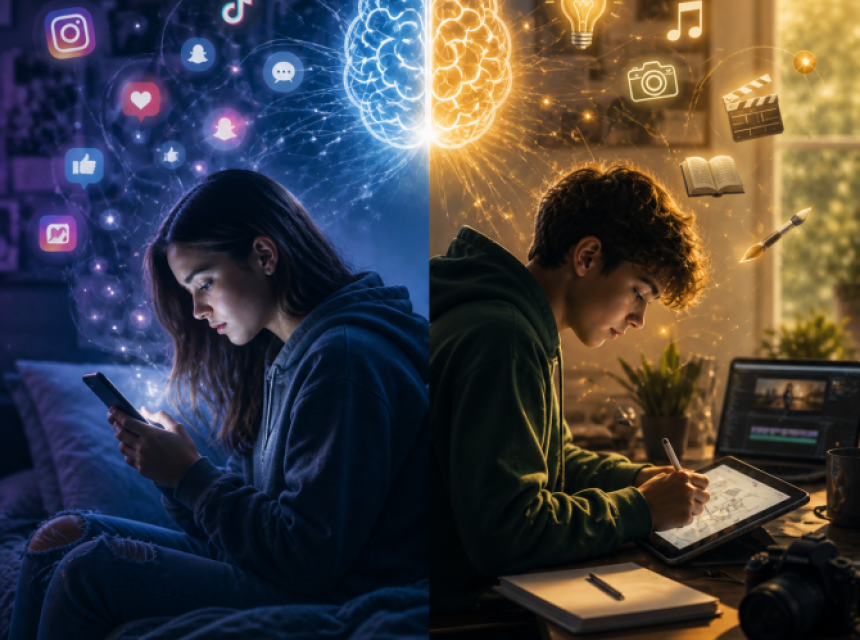
We are living in a time where technology is woven into daily life. Devices are in our hands, information is instantly available, and tools like AI can respond in seconds. Yet alongside this expansion, there has been a growing wave of fear. Fear that technology will replace thinking, creativity, or even connection.
Perhaps the invitation is not to resist technology… but to transform our relationship with it.
Technology, at its core, is a tool. It has always been this way. Books extended knowledge. Calculators supported complex thinking. The internet opened access to the world. AI is simply the next evolution which is more responsive, more dynamic however, still a tool. The difference lies in how it is consciously used.
There is a quiet but powerful distinction between passive consumption and conscious creation. Passive use often looks like endless scrolling; absorbing content without reflection, comparison without clarity, noise without direction. It can leave both children and adults feeling drained, distracted, and disconnected. Sound familiar?
Conscious use, however, shifts the experience entirely.
When a child uses technology to explore a question, create a story, design an idea, or share something meaningful, they are no longer consuming, they are contributing. They are engaging their curiosity, their voice, and their capacity to create. It is magical to observe.
This is where micro learning becomes a powerful bridge.
Micro learning invites small, intentional moments like five or ten minutes of focused curiosity or creation. A child might research how bees communicate, sketch a design inspired by nature, or co-create a story using digital tools. These moments may seem simple, yet they build something far deeper: focus, confidence, and self-trust.
Equally important is discernment. Technology can generate answers, but it does not hold wisdom. Teaching children to question, reflect, and refine what they encounter ensures they remain active participants rather than passive recipients. For parents and educators, the shift does not need to be overwhelming. It can begin with gentle guidance from you:
“What are you learning?”
“What are you creating?”
These small questions move the focus from time spent to intention held. Technology is not the creator: we are. When children know themselves as capable, curious, and creative, technology becomes a powerful partner which can support exploration, expression, and contribution in ways never before possible. The goal is not to remove technology from their lives .It is to guide them to use it with awareness, intention, and a deep connection to their own inner knowing.
 To listen to an interesting podcast on technology as a co-creator go to https://bbsradio/alllearningreminaged.
Recorded on to the 2nd and 9th May 2026. See below for ideas to promote ways to co-create with technology. Enjoy!
Companion Guide: Technology as a Co-Creator
Opening Reflection (for parents & educators)
Technology is part of our world. It is not something to fear… nor something to hand over without awareness. The invitation is simple:
To guide children to use technology with intention, rather than be shaped by it unconsciously. This is not about restriction. It is about relationship. When a child knows themselves as a creator, technology becomes a tool for expression, learning, and contribution.
A Simple Reframe
Instead of asking: “How do we reduce screen time?”
We can ask: “How do we transform screen time into meaningful time?”
The Core Shift
|
From |
To |
|---|---|
|
Passive scrolling |
Conscious creation |
|
Consuming content |
Creating ideas |
|
Disconnection |
Engagement |
|
External validation |
Inner expression |
The Micro Learning Approach
Micro learning = small, intentional moments using technology with purpose
- 5–10 minutes
- Clear focus
- Followed by reflection or action
Small moments, practiced consistently, create powerful shifts.
Daily Micro Learning Menu (Pick 1–2 per day)
1. Curiosity Spark
- Ask: What am I curious about today?
- Use technology to find 1–2 answers
- Share with someone
2. Create Something Small
- Write 3–5 sentences
- Draw an idea
- Record a short voice note
3. Co-Create with Technology
- Use AI to generate an idea
- Add your own thinking, style, or perspective
4. Learn → Do
- Research something
- Apply it in real life
Examples:
- Learn about plants → go outside and find one
- Learn about building → design something
5. Teach Someone
- Share what you learned
- Make a mini video or explanation
Teaching deepens understanding.
The “Create Before Consume” Practice
A simple family rhythm:
Before watching or scrolling…create something. Even 5 minutes is enough.
Guidance for Parents
1. Lead with Curiosity, Not Control
Instead of: “You’ve had enough screen time”
Try: “What are you creating or learning right now?”
2. Sit Beside, Not Above
- Explore together
- Ask questions
- Be part of the process
3. Encourage Discernment
Teach children to ask:
- Does this feel true?
- Does this help me grow?
- What do I think about this?
4. Connect Digital to Real Life
Technology should not replace the world, it should deepen engagement with it.
5. Celebrate Creation
Acknowledge:
- effort
- curiosity
- expression
Not perfection.
For Children
You Are the Creator
Technology is a tool. You are the one who uses it. You can choose to:
- Scroll… or create
- Watch… or learn
- Copy… or imagine
Try This Today
- Ask a question
- Find an answer
- Create something from it
Even something small.
Family Challenge (7 Days)
Day 1–7: Choose one each day:
- Learn something new
- Create something small
- Share something with someone
At the end of the week, reflect:
- What did we notice?
- How did it feel?
- What changed?
Reflection Questions
For parents and children:
- When do we feel most energised using technology?
- When do we feel drained?
- What helps us shift into creation?
Technology is not the creator. You are. When used with awareness, it becomes a powerful partner in learning, expression, and contribution. The goal is not to remove it… but to use it with intention, clarity, and sovereignty.
Student Worksheet Pack
Technology as a Co-Creator
From Scrolling to Conscious Creation
1. Daily Micro Learning Tracker (Printable Page)
Title: My Daily Creation & Learning Tracker
✔ Instructions (top of page):
Choose 1–3 small activities each day.
Tick what you completed and add a short reflection.
📅 Weekly Table:
| Day | I learned something new | I created something | I shared something | I used tech with purpose | Reflection (1–2 sentences) |
|---|---|---|---|---|---|
| Mon | ☐ | ☐ | ☐ | ☐ | |
| Tue | ☐ | ☐ | ☐ | ☐ | |
| Wed | ☐ | ☐ | ☐ | ☐ | |
| Thu | ☐ | ☐ | ☐ | ☐ | |
| Fri | ☐ | ☐ | ☐ | ☐ | |
| Sat | ☐ | ☐ | ☐ | ☐ | |
| Sun | ☐ | ☐ | ☐ | ☐ |
End of Week Reflection:
- Something I enjoyed this week:
- Something I learned:
- Something I created:
- Something I would like to explore next:
2. Micro Learning Reflection Page
Title: Today I Chose to Create
Prompts:
- Today I was curious about:
- I used technology to learn:
- Something interesting I discovered:
- I created:
- One thing I changed or added myself:
- How I felt after creating:
Optional Prompt:
Draw or sketch what you created or learned.
3. Scrolling vs Creating Awareness Page
(This links directly to your image—beautiful pairing)
How Am I Using My Time?
Reflection Prompts:
When I scroll for a long time, I feel:
When I create or learn something, I feel:
Awareness Check:
Circle or tick:
- ☐ Today I mostly scrolled
- ☐ Today I mostly created
- ☐ Today I did a balance of both
Gentle Shift Prompt:
One small thing I can create next time instead of scrolling:
4. “Create Before Consume” Challenge Card
Title: Create First Challenge
✔ Instructions:
Before using technology for entertainment, create something first.Ideas:
- Write a short story
- Draw or design something
- Learn one new fact
- Teach someone something
My Creation Today:
How I Feel After Creating:
5. Mini Project Page (Deeper Engagement)
Title: My Creation Project
Idea:
What do I want to explore or create?
What I will learn:
What I will create:
How I will share it:
Reflection:
- What went well:
- What I enjoyed:
- What I would change next time:
6. Parent / Educator Reflection (Optional Page)
This keeps alignment with your broader audience.
Title: Holding Space for Conscious Technology Use
Reflection Prompts:
- When did I notice my child most engaged today?
- What supported creation over consumption?
- How did I guide (rather than control)?
- What small shift can I try tomorrow?